Fruits Coloring Book & Drawing
UVTechnoLabArt & Design
3.823.00 Reviews
- Version
- 21.0.0
- Installs
- 10.00M
- Age Rating
- Everyone
Screenshots
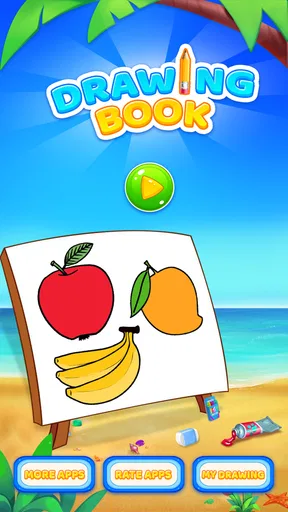
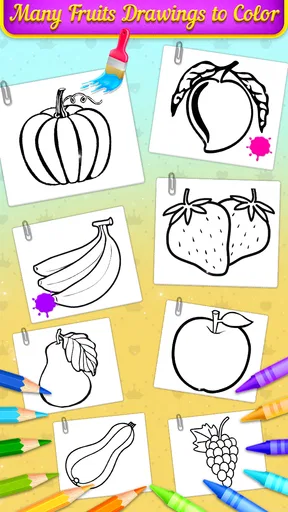
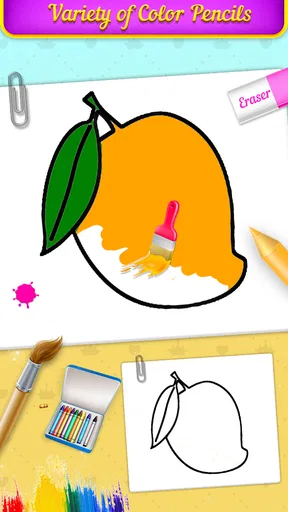
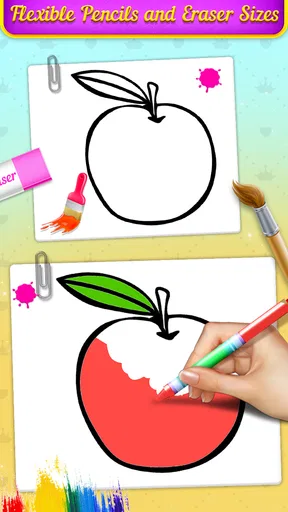
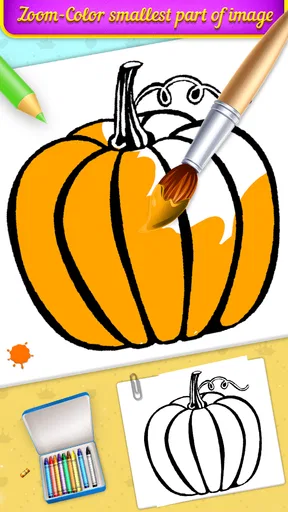
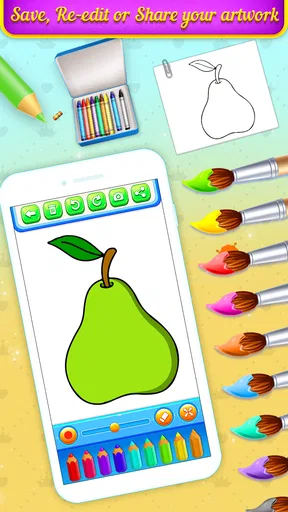
Our Review of Fruits Coloring Book & Drawing
 Analysis by Appyee
Fruits Coloring Book & Drawing is the kind of art and design app I would install for a quiet, low-pressure activity rather than serious digital illustration. Its focus is simple: choose a fruit picture, add color, and spend a few minutes making the image your own. I found that narrow purpose both useful and limiting. It makes the app easy to understand immediately, but it also means the experience depends heavily on whether you enjoy coloring familiar objects without expecting a full drawing studio.
The app is developed by UVTechnoLab and is available for free. That matters here because the value question is straightforward: you can try the central coloring experience without paying to discover whether it suits you. It is rated for Everyone, so it is also a reasonable option for families looking for an uncomplicated creative activity. The app has reached over 10 million installs, while its average rating sits at 3.8 from around 10K ratings. Those figures suggest broad interest, although they also tell me to keep expectations realistic rather than treating it as a polished professional tool.
How the fruit-focused coloring experience works in everyday use
The first thing I noticed is how quickly the app communicates its purpose. There is no need to learn a complicated interface before starting. The fruit theme gives the activity a clear boundary, which can be helpful for a child, a beginner, or anyone who wants to draw without facing a blank canvas. Instead of deciding what to create from nothing, I can begin with a recognizable subject and concentrate on color choices.
That simplicity is the main strength. A blank drawing application can feel intimidating because it asks me to manage composition, shape, proportion, and technique at the same time. A coloring book removes most of that pressure. I can think about whether an apple should look natural, use unexpected colors, or become part of a small imaginative scene. The fruit subject is familiar enough to be approachable but open enough for playful results.
I would use it in short sessions. For example, if I were waiting for an appointment or wanted to keep a child occupied during a calm part of the afternoon, this is easier to hand over than a feature-heavy illustration app. The user does not need to understand layers, brushes, canvas sizes, or export settings before enjoying the basic activity. That makes the app more suitable for casual creativity than for people who want to build a detailed digital artwork workflow.
Why the narrow subject can actually help beginners
A fruit-only theme may initially sound restrictive, but it gives the app a useful learning advantage. Beginners can experiment with color relationships on objects they already recognize. A banana, a strawberry, or an orange has an obvious visual identity, so the user can compare a realistic approach with a deliberately unusual one. That makes the app a gentle place to discover whether coloring is enjoyable before moving to a broader drawing tool.
I also see value in using the pictures as prompts. Rather than simply filling areas mechanically, I can ask what kind of image I want: a realistic fruit, a bright cartoon-like version, or a completely invented color scheme. This small change in attitude makes the activity feel more creative. The app itself remains simple, but the user can bring more imagination to it than the basic store summary might suggest.
For younger users, the familiar subjects may make the activity easier to understand than abstract patterns. For adults, the same familiarity can make it relaxing because there is no pressure to produce an impressive original illustration. I would not describe it as a replacement for a professional sketching application, but I would recommend trying it when the goal is a low-stakes creative break.
Practical ways I would use it beyond simple coloring
One useful approach is to treat each image as a small color-planning exercise. Before filling anything, I can choose a limited palette, such as warm colors for a market-style theme or cool colors for a deliberately unusual result. Limiting the palette prevents random tapping from becoming the whole experience and gives the finished picture a more intentional look.
Another approach is to use the app with a child as a conversation starter. Instead of correcting the child for making a blue apple or purple banana, I would ask why that choice was made and build a story around it. The fruit theme provides concrete objects that are easy to name, compare, and discuss. That can make the app more engaging than passive screen time, even though the drawing mechanics themselves are uncomplicated.
I would also use it as a warm-up before moving to a more advanced drawing app. Coloring a prepared fruit image can help someone become comfortable with selecting colors and controlling a touch interface. After that, a user who wants more freedom can decide whether a full drawing canvas is worth learning. In that sense, this app works well as an entry point, not as the final destination for an aspiring digital artist.
What the free price means for its actual value
Because the app is free, the most sensible way to judge it is by the usefulness of its central activity rather than by expecting premium illustration features. There is no purchase decision to make before trying it, so the low-risk path is simply to install it, color several pictures, and see whether the limited theme remains enjoyable. I appreciate that the free entry point makes the app accessible to families and casual users who do not want to commit money to a hobby they may only use occasionally.
Free does not automatically mean good value, though. An app can cost nothing and still waste time if the controls are frustrating or the content becomes repetitive immediately. With this title, the value depends on how much you enjoy the fruit subject and how often you want a short coloring activity. Someone looking for a broad library of artistic tools may find the free access less valuable than a free general drawing app with more flexibility.
I would frame the decision this way: if you want a focused coloring book and are happy to explore it without expecting a studio, free access is a meaningful advantage. If you need advanced editing, detailed brush control, or a professional workflow, the absence of a purchase price does not solve the mismatch. The app can be worth using precisely because it is uncomplicated, but that same simplicity places a ceiling on its usefulness.
Where it compares well with ordinary alternatives
The usual alternatives fall into two groups: physical coloring books and general-purpose digital art apps. Compared with a paper book, a phone or tablet app is more convenient when I already have the device nearby. I do not need colored pencils, a sharpener, or a clear table. That makes it practical for travel, waiting rooms, or a quick evening activity. On the other hand, physical coloring offers a tactile experience that a screen cannot reproduce, and some people will prefer the feel of paper.
Compared with a general drawing app, Fruits Coloring Book & Drawing is easier to approach because the subject and basic task are already defined. I can start coloring rather than learning a large collection of tools. The trade-off is creative freedom. A general drawing app is better when I want to sketch a person, design a poster, create a landscape, or work with a completely empty canvas. This app is better when I want a ready-made fruit image and a simpler path to a finished result.
It also differs from advanced coloring applications that may emphasize elaborate illustrations, complex controls, or a large range of themes. A broader app is the stronger choice for users who expect variety across animals, scenery, mandalas, and original drawing. The fruit focus is its identity, not a temporary limitation I would expect to disappear through customization. I would choose it knowingly for that focused experience.
Small workflow choices that improve the experience
My first tip is to avoid rushing through an image with the first color that comes to mind. I get more from the app when I pause briefly and decide whether I want realism, contrast, or something playful. Even a simple fruit picture looks more considered when the colors follow a plan.
My second tip is to use the app as a shared activity instead of assuming it has to be solitary. A parent and child can take turns choosing the palette, or two friends can interpret the same kind of fruit differently. This turns a basic coloring task into a small creative challenge. The app does not need complicated social systems to support that kind of interaction; the people using it provide the collaboration.
My third tip is to judge it after several sessions rather than after one quick glance. The initial novelty of a fruit theme may fade if the user wants constant variety, but it may become a dependable relaxation tool for someone who likes repetition and routine. I would test it during the exact situation in which I expect to use it, such as a short break or a child’s quiet activity, because that reveals its practical value better than browsing the opening screen.
Limitations I would consider before installing
The biggest limitation is the narrow creative scope. If I want to draw freely, this is not the right primary tool. The fruit theme provides helpful structure, but it also means the app may feel repetitive to users who need new subjects or more ambitious projects. I would skip it for a teenager or adult specifically seeking a serious illustration environment.
The simple concept can also create a difference between first impressions and long-term use. A beginner may appreciate the directness immediately, while a more experienced artist may find the experience too basic. That is not necessarily a flaw, but it makes the intended audience important. This is a focused coloring activity, not a substitute for a full digital art course or a professional drawing workspace.
The average rating of 3.8 indicates a mixed overall reception rather than universal enthusiasm. I would interpret that as a reason to keep expectations measured. The app may be perfectly adequate for a quick, free activity while still falling short for users who judge art apps by depth, polish, and extensive customization. Its broad install base shows that the concept appeals to many people, but popularity alone does not make it suitable for every creative workflow.
Device compatibility is also worth checking before relying on it for an older phone or tablet. The app requires Android 6.0 or later, so it is aimed at devices running a relatively modern version of the platform. On supported hardware, I would still keep the use case modest: coloring prepared pictures, not managing a large professional portfolio or replacing desktop illustration software.
Who will get the most from this app
I think the strongest audience is made up of beginners, casual users, parents looking for a simple creative activity, and anyone who enjoys fruit-themed coloring specifically. It can also suit people who prefer guided creativity over an empty canvas. The Everyone age rating reinforces that broad accessibility, although adults should still choose activities based on the individual child’s patience and interests rather than assuming every child will enjoy the same theme.
It is particularly useful for someone who wants to try digital coloring without paying first. The free price removes the financial barrier, and the focused subject reduces the learning barrier. That combination makes it a sensible experiment for a person who has never used an art app before.
I would recommend skipping it if your priority is unrestricted drawing, advanced editing, professional output, or a wide range of subjects. In those cases, a general digital painting app or a more comprehensive coloring platform is likely to deliver better value, even if it takes longer to learn. I would also skip it if fruit images do not appeal to you, because the theme is central to the experience rather than a minor detail.
Support, maturity, and what to expect from the current release
The app first appeared on June 11, 2017, and its current version is 21.0.0. That gives it a long presence compared with a brand-new experiment, which is reassuring for someone who prefers an established app rather than something that may disappear quickly. At the same time, an older release history does not automatically mean the design will feel modern or that it will match the expectations of users accustomed to newer art platforms.
I would approach the current release as a maintained, focused utility for fruit coloring, not as a constantly expanding creative suite. That expectation helps prevent disappointment. The developer, UVTechnoLab, has built the app around a recognizable and accessible idea, and the large number of installs shows that the idea has found a substantial audience. The important question for an individual user is still whether the focused activity fits their routine.
My recommendation for deciding quickly
If I were recommending it to a friend, I would say: install it when you want a free, uncomplicated way to color fruit pictures and you do not need professional drawing tools. Give it a few short sessions, try both realistic and imaginative palettes, and notice whether the limited subject feels calming or repetitive. That test costs nothing and gives a clearer answer than judging the app by its name alone.
My final view is positive but deliberately narrow. Fruits Coloring Book & Drawing delivers its best value as an accessible, low-pressure coloring activity, not as a complete art application. The free price makes experimentation easy, the Everyone rating supports a broad audience, and the fruit focus gives beginners a clear starting point. However, users who want variety, advanced controls, or unrestricted drawing should choose a different category of app. For the right person, especially someone seeking a quick creative break, this modest scope is exactly what makes it useful.
Verdict
Strengths of Fruits Coloring Book & Drawing
- Simple coloring tools make it suitable for young children.
- Bright fruit illustrations encourage creativity and visual recognition.
- Offline access allows coloring without a constant internet connection.
- Easy controls help children start drawing with little assistance.
- Calming activities can provide a relaxing break from screen-heavy games.
Limitations of Fruits Coloring Book & Drawing
- Some pages or tools may require in-app purchases to unlock.
- The selection can feel limited for older children and frequent users.
- Ads may interrupt the coloring experience on supported versions.
- Basic drawing features offer little challenge for advanced young artists.
- Device storage and performance may vary depending on the app version.
Other Releases by UVTechnoLab
View All
Princess Baby Phone Game
Educational4.1
Similar Picks in This Category
View All
Canva: AI Photo & Video Editor
Canva4.8

PENUP – Drawing-sharing SNS
Samsung Electronics Co., Ltd.4.5

Crafto
Kutumb App4.6

Sketchbook
Sketchbook4.1

ibis Paint X
ibis inc.4.5

Adobe Express: AI Photo, Video
Adobe4.6
Frequently Asked Questions
What is Fruits Coloring Book & Drawing?
Fruits Coloring Book & Drawing is a relaxing digital coloring app centered on fruit-themed illustrations. After exploring the available pages, users can choose colors, fill different areas, and create bright, personalized pictures directly on a mobile device. It is designed for casual creativity and is suitable for children, families, and anyone looking for a simple artistic activity.
Is Fruits Coloring Book & Drawing suitable for children?
Yes, the app is generally suitable for children because its interface is simple and the fruit drawings are easy to understand. Younger users can experiment with colors without needing advanced drawing skills, while older children may enjoy adding their own combinations and details. Parents should still review the app’s advertising, permissions, and any in-app purchase settings before allowing independent use.
Does Fruits Coloring Book & Drawing require an internet connection?
Many basic coloring activities can usually be enjoyed offline once the application and its content are available on the device. However, an internet connection may be needed for downloading additional images, displaying advertisements, checking for updates, or accessing optional features. Availability can vary by version and platform, so users who want completely offline play should test the app after temporarily disabling their connection.
Is Fruits Coloring Book & Drawing free to download and use?
The application may be available as a free download, allowing users to try its main coloring experience without an upfront payment. Free versions can include advertisements, locked illustrations, or optional purchases for extra content and a more comfortable experience. Before downloading, check the Google Play Store or Apple App Store listing for the current pricing, purchase conditions, and subscription information.
What features should users consider before downloading it?
Users should consider whether they prefer a straightforward coloring experience rather than a full drawing or painting program. The app’s main appeal is its accessible fruit-themed artwork, simple controls, and relaxing format. It may be a good choice for quick creative sessions, but people seeking advanced brushes, layers, professional editing tools, or a large library of highly detailed illustrations may find its feature set limited.
